Power BI with AFAS HRM: a roadmap for HR decision-makers
You can now unlock data from your AFAS HRM software using Power BI. But how do you make sure your dashboard actually delivers useful steering information for HR and management? The standard AFAS HR dashboard might not fully match the way your organization works. Plus, the implementation often involves more than you expect. These five key choices and a practical ten-step plan will help you get started.


1. Start with the HR question, not with the available data
What does your organization actually want to know? That question comes before the technology. You might want better insight into absenteeism, turnover, staffing levels, inflow, personnel costs, or strategic workforce planning. Then make concrete which decisions you want to support with that information. Simply seeing that absenteeism is rising doesn’t help you much further. You want to know where the increase is coming from, which groups are involved, and whether any patterns are visible. When you start from the policy question, you avoid building a Power BI dashboard with AFAS data that’s full of numbers but lacks clear direction.
2. Does the standard Power BI HR dashboard from AFAS fit your organization?
The standard AFAS HR dashboard lets you get off to a quick start. But does it also match how your organization operates and makes decisions? You may use custom fields, follow different processes, or pull data from additional sources. Terms like inflow, outflow, formation, and absenteeism can also be defined slightly differently in your organization than in the standard model. Test in advance what works right away and where adjustments are needed. This prevents incorrect calculations, confusing visualizations, and endless discussions about what a number really means.


3. Determine what steering information each target group needs
Who will actually work with the dashboard? An HR director looks at data differently than a line manager or HR business partner. One wants to see trends and risks at the organizational level, while the other needs to know what’s happening in their own team. So define per target group which HR steering information is relevant, what level of detail is required, and what action can follow from a signal. Otherwise, you quickly end up with one big Power BI dashboard where everyone has to go hunting for what matters to them.
4. Agree in advance who is responsible for what
Who actually owns the dashboard? HR, IT, BI, or the AFAS administrator? In practice, you need all of them. HR decides which insights and HR KPIs are relevant, the AFAS administrator arranges access to the right HR data, and IT or BI sets up the technical environment. Agree upfront who guards the definitions, who monitors data quality, who manages the connection and authorizations, and who decides on new requests. If you don’t, the dashboard may work fine technically, but no one will feel ownership.
5. Make sure your Power BI HR dashboard actually gets used
A dashboard that’s barely opened after go-live delivers little value. Involve users early, test more than just the technology, and check whether they recognize and understand the numbers. It’s better to start with a limited HR dashboard with AFAS data focused on one or two important HR topics than with a large solution that takes a long time to deliver. Also agree in which meetings the dashboard will be used and how feedback will be processed. That way Power BI becomes a fixed part of how HR and management steer the organization.
Power BI with AFAS: implementing in ten steps
The five key choices set the direction. Then the real work begins. You have to arrange access, check whether your AFAS setup fits, get the technology in order, define goals and KPIs, test, bring users along, and organize proper management. This ten-step plan helps you keep oversight and prevents important elements from surfacing too late.
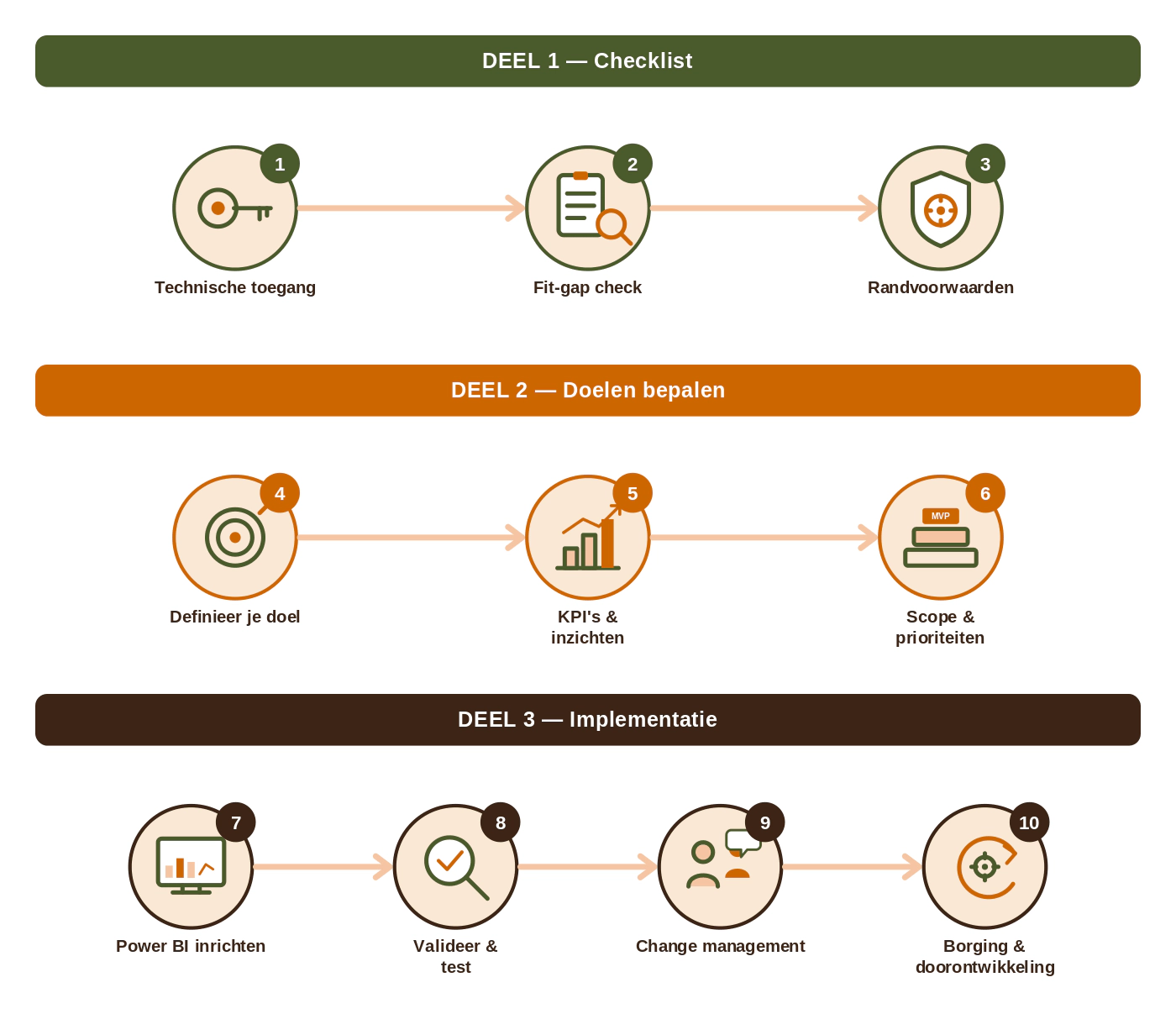
The ten-step plan for Power BI with AFAS
Phase 1 – Preparation
1. Arrange technical access to AFAS.
2. Check whether your AFAS setup matches the template.
3. Arrange the right Power BI licenses, permissions, and technical preconditions.
Phase 2 – Definition
4. Define what you want to achieve with the dashboard.
5. Determine which insights and HR KPIs you need.
6. Choose your scope, priorities, and responsibilities.
Phase 3 – Implementation and embedding
7. Set up the Power BI environment and the connection with AFAS.
8. Validate and test the HR data.
9. Help users learn to work with the dashboard.
10. Embed management and further development

More from your AFAS HR data with Power BI?
At worldofwork™ we’re happy to think along with you about setting up your HR dashboard and the steering information you need, within your resources and budget. We can guide the full ten-step plan or join at any stage—for example, when defining HR KPIs, reviewing your AFAS setup, translating it to Power BI, or driving adoption within HR and management.
We will reach out as soon as possible